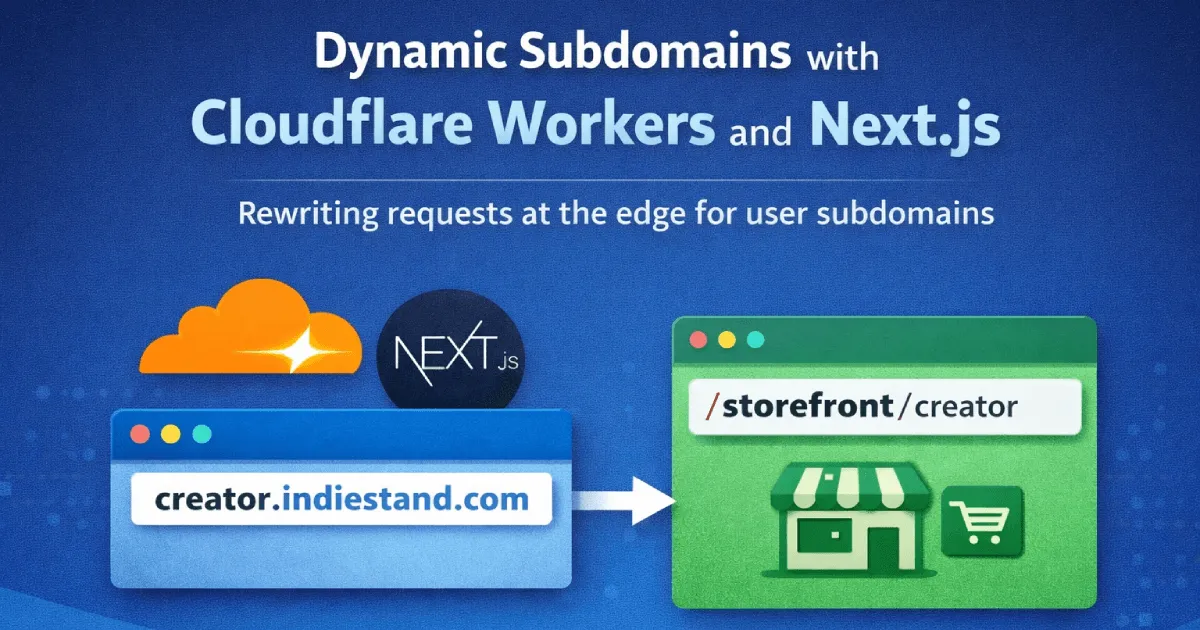
Dynamic Subdomains with Cloudflare Workers and Next.js
If you’re building a multi-tenant application where each user or organization gets their own subdomain (like user.yourdomain.com), you might think you need a complex server setup or an expensive hosting plan. While working on IndieStand, I discovered a surprisingly simple solution using Cloudflare Workers.
The challenge is common: you want user.yourdomain.com instead of yourdomain.com/user because it looks more professional and gives each user a URL they can proudly share. But frameworks like Next.js don’t natively handle wildcard subdomains, and you probably don’t want to spin up a separate server just for routing.
The solution? A Cloudflare Worker that intercepts requests and rewrites them on the edge before they reach your application.
What You’ll Need
- A domain on Cloudflare (free plan works)
- A Next.js app (or any framework with dynamic routing)
- Basic familiarity with Cloudflare Workers
How It Works
The approach is straightforward: take a request to user.yourdomain.com/products and internally rewrite it to yourdomain.com/storefront/user/products. Your Next.js (or any other framework) app just needs a catch-all route at /storefront/[slug]/[...path] to handle everything.
From the visitor’s perspective, they see a clean subdomain URL. From your app’s perspective, it’s just a normal dynamic route.
Implementing the Worker
Here’s the complete worker code you’ll need:
const APEX = "yourdomain.com";

const RESERVED = new Set([
  "www",
  "api",
  "app",
  "admin",
  "blog",
  "cdn",
  "mail",
  "staging",
  "docs",
]);

function getSubdomain(host: string): string | null {
  const suffix = `.${APEX}`;
  if (!host.endsWith(suffix)) return null;

  const sub = host.slice(0, -suffix.length).toLowerCase();
  if (!sub || RESERVED.has(sub)) return null;

  // Only allow valid slugs
  if (!/^[a-z0-9][a-z0-9-]{0,61}[a-z0-9]?$/.test(sub)) return null;

  return sub;
}

export default {
  async fetch(request: Request, env: any, ctx: any) {
    const url = new URL(request.url);
    const host = url.hostname;

    // Check if this is a user subdomain
    const subdomain = getSubdomain(host);

    if (subdomain) {
      // Rewrite: user.yourdomain.com/page
      //      ->  yourdomain.com/storefront/user/page
      const newPath = `/storefront/${subdomain}${url.pathname}`;
      url.hostname = APEX;
      url.pathname = newPath;

      const rewritten = new Request(url.toString(), request);
      return fetch(rewritten);
    }

    // Not a subdomain, pass through normally
    return fetch(request);
  },
};
Replace yourdomain.com with your actual domain, and adjust the /storefront/ prefix to match your app’s routing structure.
That’s really it - about 40 lines of code gives you dynamic subdomains.
Best Practices
Reserve your subdomains early. I maintain a blocklist of subdomains I might need later: api, app, admin, blog, docs, cdn, mail, etc. You don’t want someone registering admin.yourdomain.com as their subdomain.
Validate slugs strictly. Only allow lowercase letters, numbers and hyphens. No special characters, no uppercase. This prevents weird edge cases and potential security issues.
Think about canonical URLs. If someone somehow lands on /storefront/creator/products directly you probably want to redirect them to creator.yourdomain.com/products. I handle this with a 308 redirect in my worker.
Edge caching helps. If you’re doing any database lookups in your worker (like checking if a subdomain exists), cache the results. Cloudflare’s Cache API is perfect for this.
Why Cloudflare Workers?
There are other ways to do this. Vercel supports wildcard subdomains. Nginx or Caddy can handle the routing too.
I went with Cloudflare Workers because:
- I’m already on Cloudflare for DNS, Pages and Workers, so everything stays in one place
- Edge routing means the rewrite happens before the request even hits my app
- No extra servers to manage or pay for
- Zero cold starts and runs globally on Cloudflare’s network
If you’re already on Vercel, their built-in wildcard support might be simpler. But if you’re on Cloudflare (or want more control over the routing logic), Workers is a great option.
Setting Up Your DNS
To make this work, you’ll need to add a wildcard DNS record in your Cloudflare dashboard:
- Go to your domain’s DNS settings
- Add a CNAME record:
- Name:
* - Target:
yourdomain.com(or wherever your app is hosted) - Proxy status: Proxied (orange cloud)
- Name:
This tells Cloudflare to route all subdomains through your worker.
Deploying the Worker
You can deploy this worker using Wrangler (Cloudflare’s CLI tool):
npm install -g wrangler
wrangler init subdomain-router
# Copy the worker code into src/index.ts
wrangler deploy
Configuring Routes in wrangler.toml
Your wrangler.toml (or wrangler.jsonc) needs to specify which routes the worker should handle. Here’s a simplified example:
name = "subdomain-router"
main = "src/index.ts"
compatibility_date = "2024-12-30"

# Route configuration
routes = [
  { pattern = "yourdomain.com", custom_domain = true },
  { pattern = "www.yourdomain.com", custom_domain = true },
  { pattern = "*/*", zone_name = "yourdomain.com" }
]
The key part is the { pattern = "*/*", zone_name = "yourdomain.com" } route - this catches all subdomains. The order matters: more specific routes are evaluated first, then the wildcard catches everything else.
If you’re using Cloudflare Pages with OpenNext (like for Next.js), you’ll also need to reference your assets:
[assets]
directory = ".open-next/assets"
binding = "ASSETS"
Then deploy:
wrangler deployWhat You Get
With this setup, users get their own subdomain instantly. No DNS configuration on their end. They pick a name during signup and they’re live at theirname.yourdomain.com within seconds.
The worker runs at the edge globally with zero cold starts. Simple to set up, cheap to run (Cloudflare’s free tier includes 100,000 requests/day), and fast everywhere.
I’ve been using this approach for IndieStand where creators get their own storefront subdomain, and it’s been rock solid.
Gotchas
Worker not triggering? Make sure you’ve added a route under Workers & Pages > Your Worker > Settings > Triggers. The route pattern should be *yourdomain.com/* to catch all subdomains.
Subdomains returning 404? Check that your wildcard DNS record (*) is set to “Proxied” (orange cloud), not “DNS only”. Cloudflare Workers only intercept proxied traffic.
Requests hitting the wrong app? If you’re using Cloudflare Pages, make sure your Worker route has higher priority than the Pages deployment. Workers run before Pages by default, but double check if you have multiple workers.
Infinite redirect loops? This usually happens when your worker rewrites to a URL that also matches the worker’s route. Make sure your rewritten requests go to the apex domain and your getSubdomain() function returns null for the apex.
CORS issues on API calls? If your subdomain pages make fetch requests to your main API, you might need to handle CORS headers. The browser treats user.yourdomain.com and api.yourdomain.com as different origins.
Questions or building something similar? I’m @heygeorgekal on X.
Want more insights?
Follow me on X for more content about engineering, building products, and my journey.
𝕏 Follow @heygeorgekal